Summary
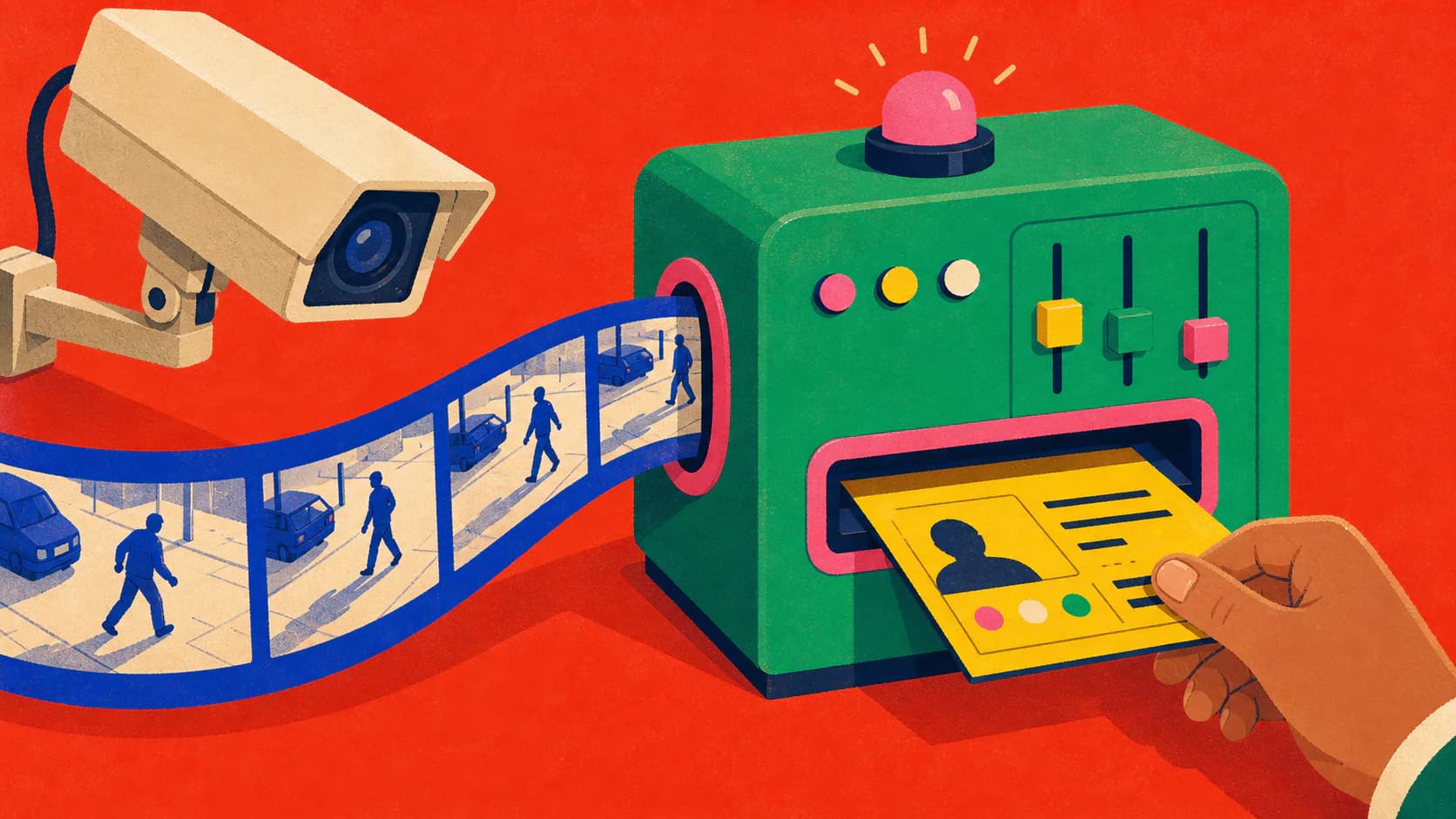
A housing society wanted to know who was throwing garbage out of their windows, without paying guards to watch hours of video. We built an API that takes CCTV footage and returns the time and the flat number. This is how it works, and what I would tighten before calling it finished.
The problem: catching bad neighbours
The client was a housing society management company. They already had a CRM for their residents, and one very manual problem: people were throwing garbage out of their windows, and the only way to catch them was a security guard watching footage.
They asked for one API endpoint. The CRM uploads CCTV footage from the estate and gets back the exact timestamps and the flat numbers involved, so the society can issue warnings and fines.
A video is a flipbook
The idea that made this manageable was to stop treating a video as a movie. It is a flipbook of thousands of pictures. Processing a whole video is heavy and slow. Processing a handful of compressed pictures is fast, and it scales.
So the whole thing became a data pipeline: break the video into frames, look at the frames, and return a structured report.
- The society’s CRM uploads a video to the API.
- The API accepts it and puts a job on a RabbitMQ queue.
- A worker uses OpenCV to compress the video and pull frames at intervals.
- A vision model finds the object in each frame and draws a box around it.
- The box is matched against the building map to get the camera and the flat.
- Detections are grouped into incidents.
- A JSON report with timestamps and flat numbers goes back to the CRM.
We used OpenCV to compress the video and pull frames at set intervals, and the Google Vision API to find objects in each frame. The interval is a real trade-off. Sample too rarely and a bag falling past a window slips between two frames. Sample every frame and the bill for decoding and inference multiplies.
Why the queue mattered
Uploads arrive in bursts and analysis is slow, so the two cannot share a request. We started on Django and later moved to FastAPI for its async performance, put the service behind AWS API Gateway and Lambda, and used RabbitMQ to separate accepting a video from working on it.
Sai, our data scientist, packaged the vision logic as its own API, and workers pulled jobs from the queue at their own pace. A spike in uploads turned into a longer queue instead of a crashed server.
A queue has a catch that is easy to miss: it can hand you the same job twice. RabbitMQ’s reliability guide is clear about this. A worker has to cope with a duplicate, a temporary failure, and a file it will never be able to read, and each of those needs a different exit.
- The queue delivers a job, possibly more than once.
- The worker tries to claim it.
- If it is already claimed, acknowledge and drop the duplicate.
- Otherwise process it using stored artifacts.
- On success, complete the job and acknowledge.
- On a transient error, retry while the retry budget lasts.
- Unsupported media and exhausted retries go to the dead-letter path.
The unglamorous part: teaching it where the flats are
A vision model draws a box around falling garbage. A box is just pixels. It has no idea which flat that window belongs to.
That context did not exist, so we made it. The team spent long weekends labelling every camera viewpoint by hand, marking the pixel coordinates of each flat on each feed. That table of coordinates is what turns a detection into an answer. The model gets the credit, but the map is the product.
- The vision model returns a bounding box.
- A hand-labelled map records the pixel region of every flat on every camera.
- The box is matched to the region that contains it.
- That gives a camera ID and a flat number.
- The timestamp and flat go into the report.
Two things I would add with hindsight. A camera that gets nudged or replaced silently breaks its map, so each map needs a version and a date. And when a box sits across two windows, the honest answer is both flats, with a person deciding between them.
One video, more than one incident
Our first response returned a timestamp and a flat number as plain strings. Then an edge case came up: what happens when more than one incident occurs in the same video?
We worked with the client’s onsite team to change the contract. The payload moved from strings to lists, so one upload could report several timestamps and flats. It is a small change, but the client’s side had to change with it. I now design a response for the messy case first.
The reverse also matters. One falling bag shows up in several frames in a row, and that is one incident, not twelve. So detections are grouped before the report is built.
- Collect the detections from many frames.
- Group them by camera, flat, and time.
- The same bag seen in several frames becomes one incident.
- Two flats in one video stay as two incidents.
- The report carries the list of incidents.
{
  "job_id": "job_01J...",
  "status": "review_required",
  "incidents": [
    {
      "incident_id": "inc_01J...",
      "camera_id": "camera-east-02",
      "occurred_at": "2026-07-29T09:14:32.480Z",
      "candidate_locations": [
        { "zone_id": "flat-7b", "confidence": 0.82 }
      ],
      "model_confidence": 0.88,
      "evidence": {
        "frame_ids": ["frame-1834", "frame-1842"],
        "calibration_version": "east-02-v4"
      },
      "review": { "status": "pending" }
    }
  ]
}A score is not an accusation
The output of this system ends up as a warning or a fine sent to a resident. A vision model does not return facts. It returns a confidence score. My view now is that the API should hand back a candidate along with the frames that support it, and a person should look before anyone is fined.
It is also footage of people’s homes and routines. Keep only the frames needed for review, delete the rest on a schedule, and limit who can open them. The NIST Privacy Framework is a reasonable place to start. The law that applies to you needs someone qualified.
What I took from it
The system was in its testing phase when I first wrote about it, and the project lined up with me clearing the AWS Certified Cloud Practitioner exam. Understanding how the cloud shapes a distributed system was exactly what this API needed.
- Treat video as a background job, never as a request.
- The labelled map of each camera matters more than the model.
- Return lists from day one. There is always a second incident.
- Keep a person between the model and the fine.
References
- How We Turned Dumb CCTV Footage into a Smart API
Abhishek Choudhury. Original project article, published February 2025.
- OpenCV VideoCapture class reference
OpenCV. Video-file, image-sequence, camera, and stream capture behavior.
- RabbitMQ Reliability Guide
Broadcom. Acknowledgements, redelivery, publisher safety, and consumer idempotency.
- Detect multiple objects with Object Localization
Google Cloud. A dated managed-service example of object bounds and scores.
- NIST Privacy Framework
National Institute of Standards and Technology. A voluntary framework for identifying and managing privacy risk.